Previously, to create a Yandex Direct account without VAT, it was enough to specify a different country. Now the situation is reversed. Yandex has a dedicated department that verifies all documents and data when creating each foreign account.
Full information on the operation, verification, and updating of Yandex Direct accounts without VAT is published at the link .
To create you will need:
- Your photo or scan of your passport/driver's license for non-residents of Russia, Belarus, Kazakhstan, Turkey, Switzerland;
Additionally, you may need:
- A photograph or scan of a second identity document (this can be any official document with a first name, last name and photograph, such as an identification card or passport);
- A photograph of the front of the card with the owner's first and last name, where the first 6 digits and the last 4 digits should be visible;
- Your photo with documents in your hands;
Note : We do not recommend using documents obtained from the internet. This may result in your account and funds being blocked.
Instructions
- Preparation.
This step is only required for those creating an account from Russia, Belarus, and Ukraine.
Yandex automatically detects your country on your IP address. If your account was created from Russia or Belarus, this may cause additional problems during document verification. Therefore we recommend changing your IP address, preferably to the country you're creating your account for. - Register a Yandex account
Go to the website yandex.com
Fill out all fields in English. It's best if your First Name and Last Name match the first and last names in your documents. You don't need to link a mobile phone number. Click "I don't have a telephone number," select a security question, type your (preferably in English), enter the captcha, and click "Register."
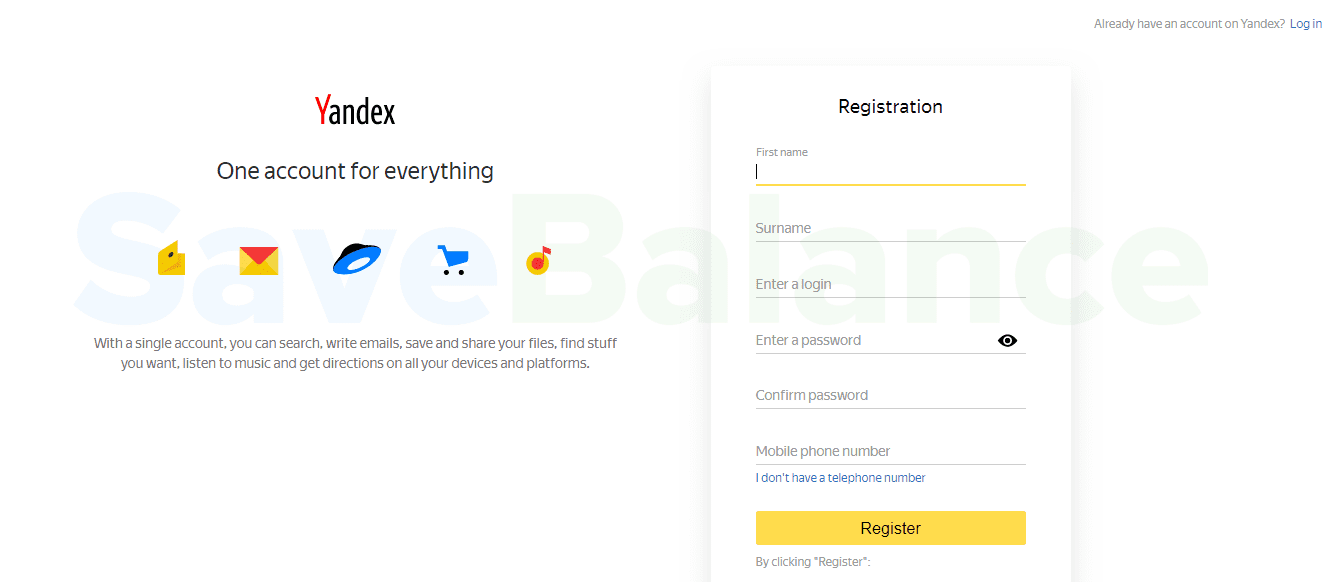
On the next page, click “Skip” - Register a Direct account Go to the website direct.yandex.com
Click "Get started." On the next page, select your country (in our example, the USA), check the box next to "I accept," and click "Start using the service." Entering your email address on this page is optional.
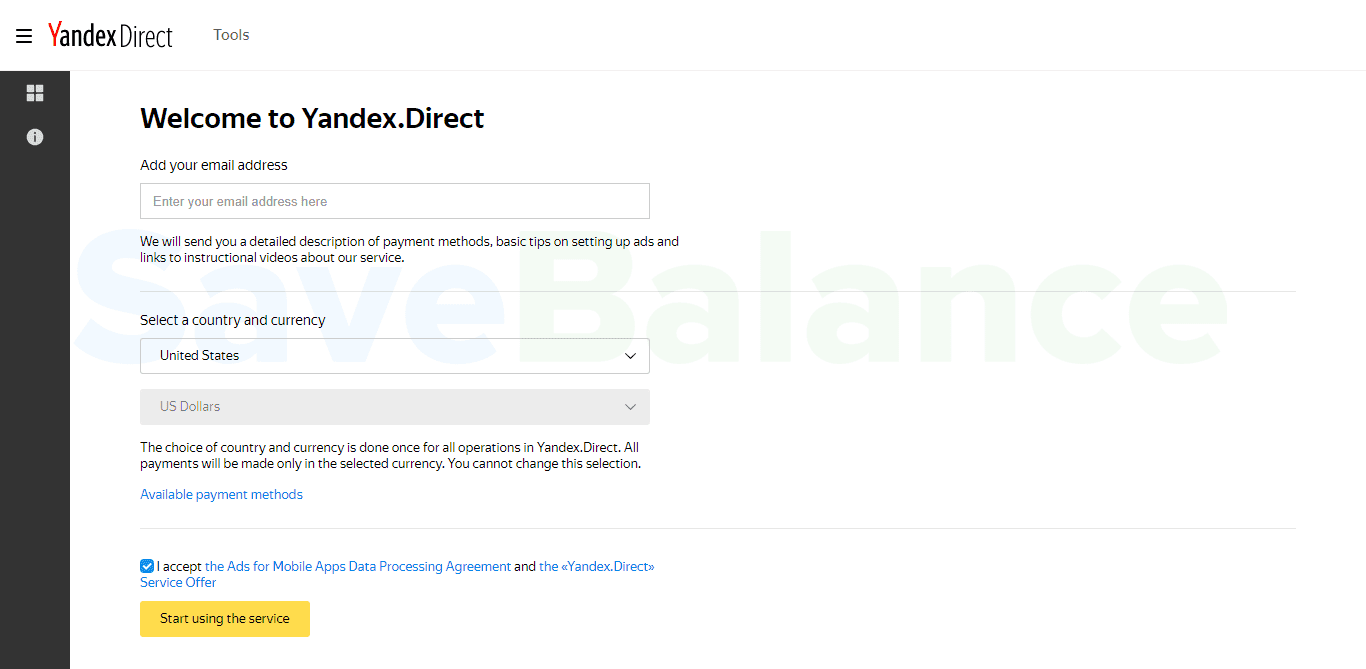
On the next page, click “Create campaign” - We create an advertising campaign
I don't recommend immediately creating an ad campaign for your website and region. Campaigns may also be reviewed during verification, so we'll use the website and target the account's country. In our case, this is an American website and targeting the US (ideally, we'd find an American website with products available for purchase in Russia and enable targeting for Russia; this would explain to the algorithms why a US resident is registering with Yandex.Direct, but most accounts pass verification without this).
On the first page, select your region. In our case, it's "United States." The remaining settings are optional. Click "Next."
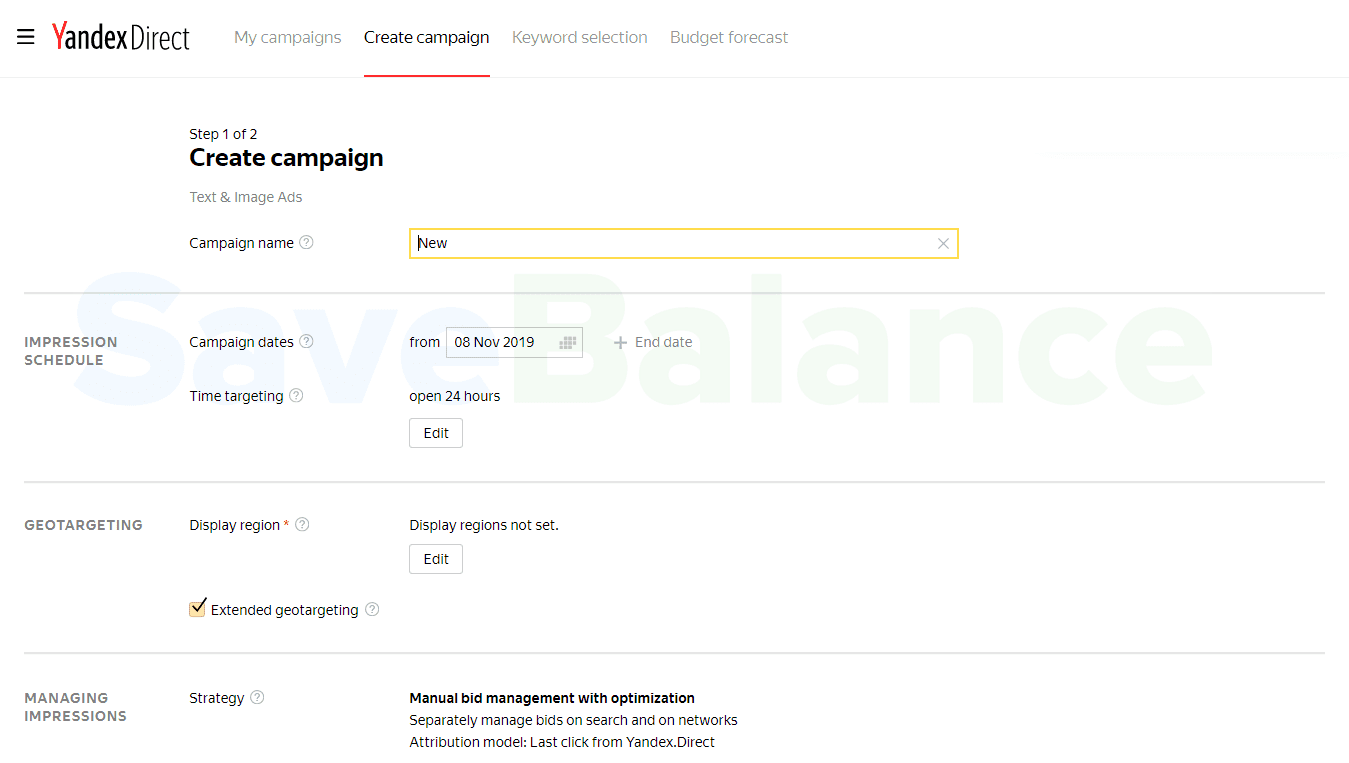
On the next page, all settings are as desired. Click "Save."
On the final page, fill in the "Ad Title," "Ad Text," and "Description" fields, and provide a link to the American website. The remaining fields are optional. Click "Save."
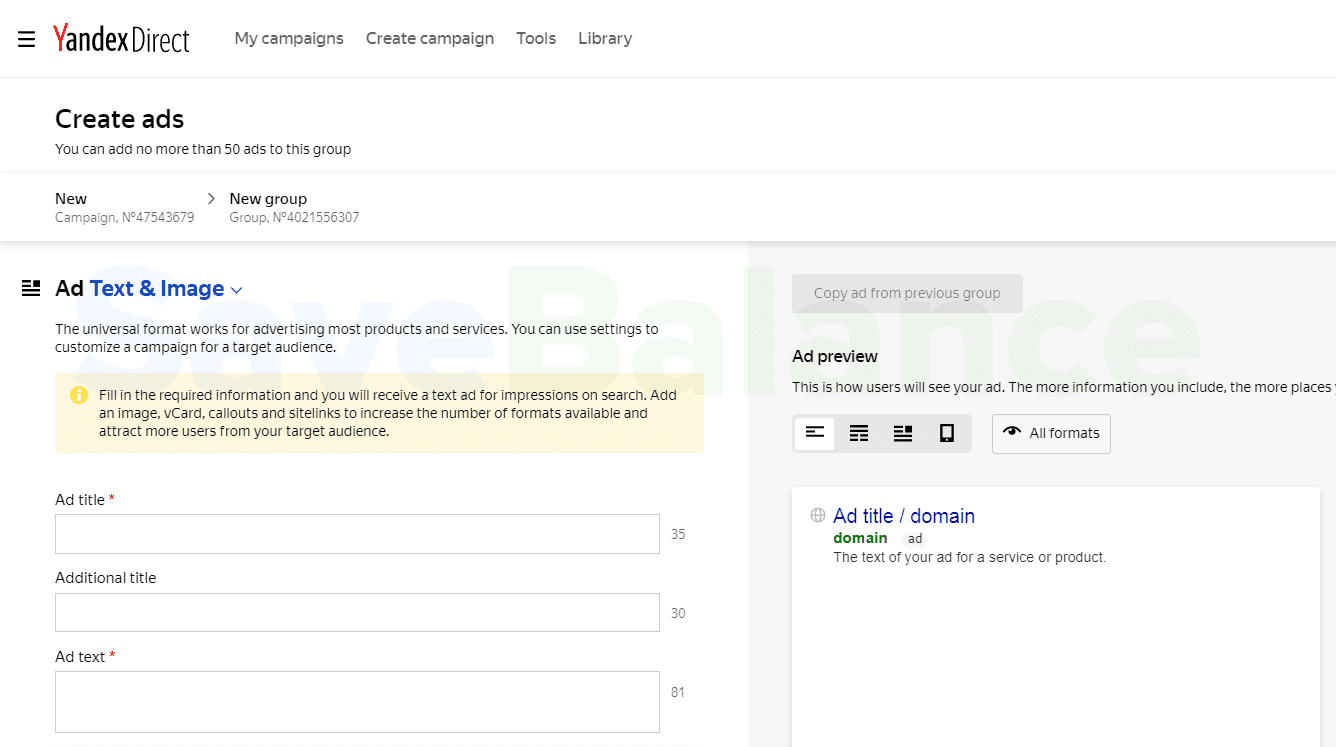
Our company is created.
Note : If a captcha window appears repeatedly in your Yandex Direct account, it means the Yandex algorithm has marked your account as "suspicious" and will almost certainly require additional identity verification after you submit your first few documents. This most often occurs when using public proxies or other "poor" anonymization tools. - We are sending the campaign for moderation.
Click "Send to moderation." Then, agree to the user agreement by selecting "Accept," and click "Order." Moderation typically takes several hours to a day.
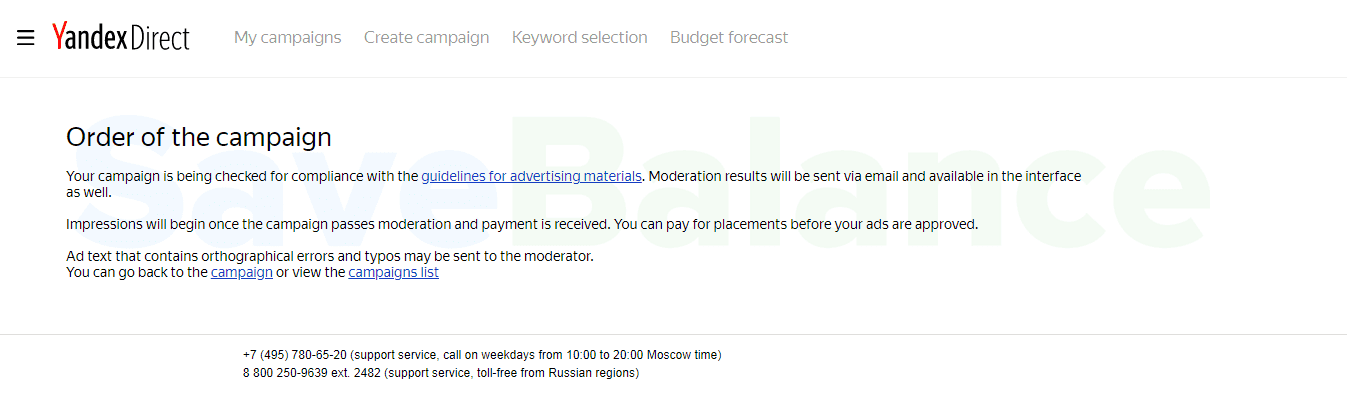
If your campaign is rejected, we will correct the errors and resubmit the campaign for moderation. - We are sending documents
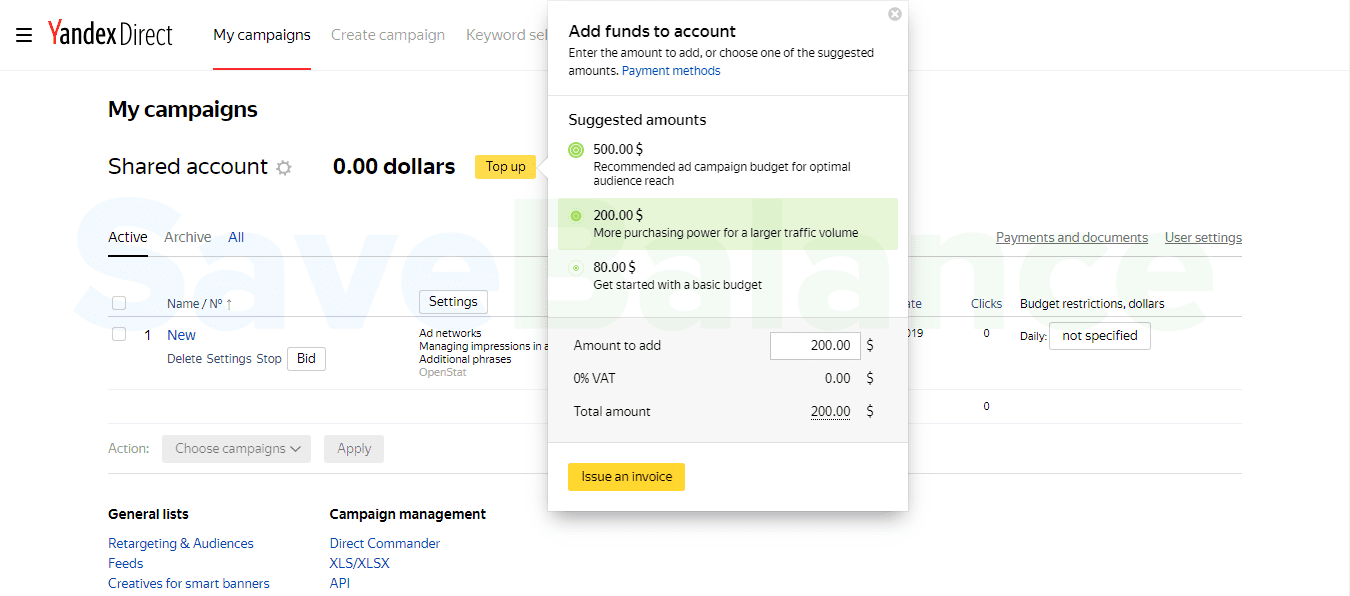
Go to the main "My Campaigns" tab and click "Top Up" and "Issue an Invoice." You don't need to change the amount; we won't be adding funds to our account right now.
Scroll down the page and fill out all the fields (the more fields you fill out, the better your chances of passing verification). Below the fields, select "Choose file" and upload a photo of your passport or non-resident driver's license. The information you fill out must match the information in your documents.
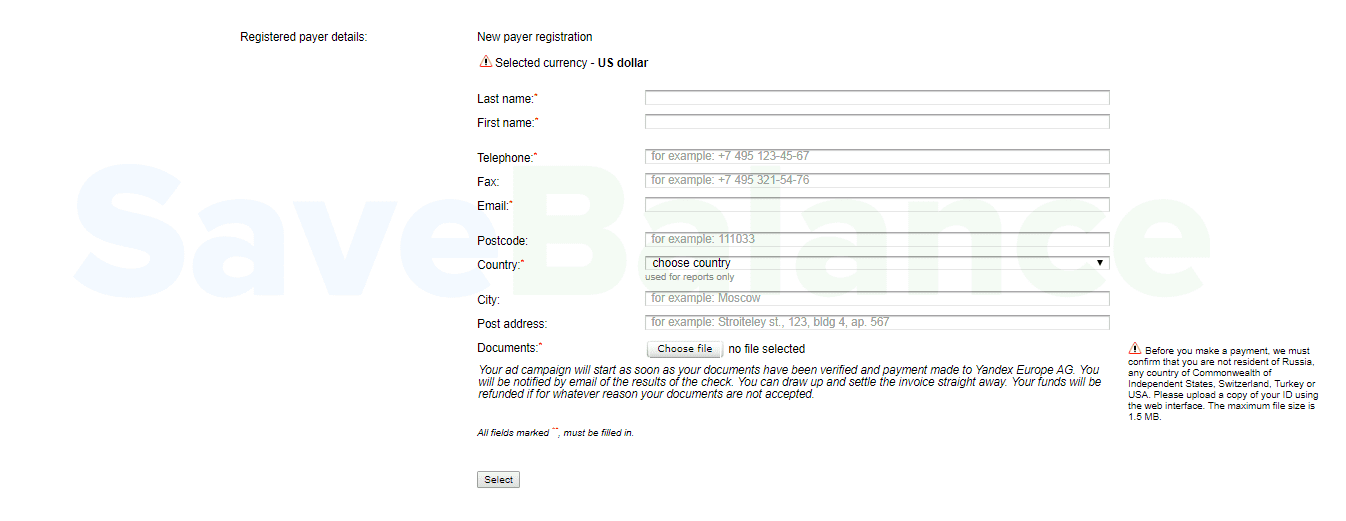
Once all fields are filled in and the document is uploaded, click "Select." You'll be redirected to the "Checkout" page. Your details and documents have been sent; you don't need to make any further payments. You can close the page. - We are waiting for the verification to be completed.
The inspection should be completed within 3 days, but it often takes longer.
Once verification is complete, you'll receive an email with the result. If you're lucky, you'll receive an email stating your account has been verified and is ready to use. However, recently, even if everything has been done correctly, you'll receive an email asking you to send a second document (this is the most common case) or a request to send a photo of the card you plan to use (the card must be from a foreign bank and in the first and last name of the document holder).
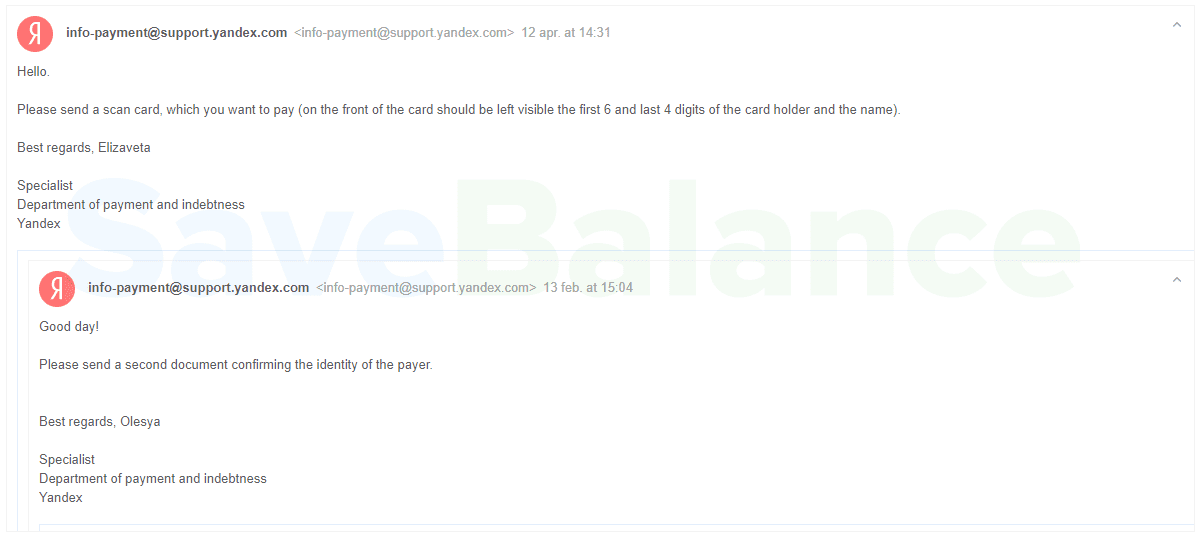
If the inspectors have any doubts, they ask for a photo of the person holding the documents or immediately reject the application without explanation.
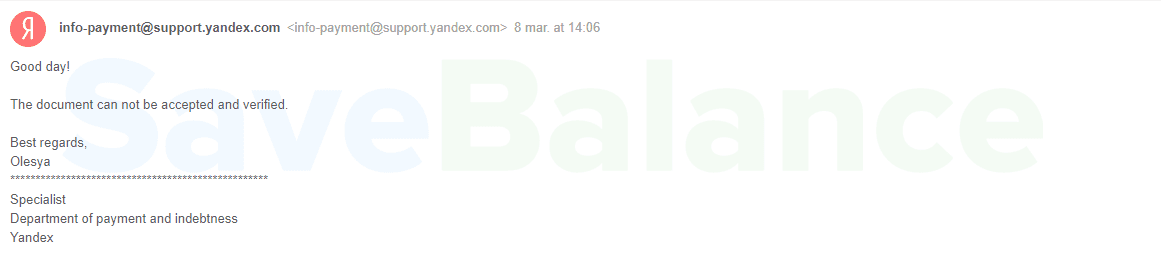
If your application is rejected, arguing is usually pointless. It's easier to create a new account.
If you haven't made any mistakes and have passed all the checks, you will receive a completion letter.
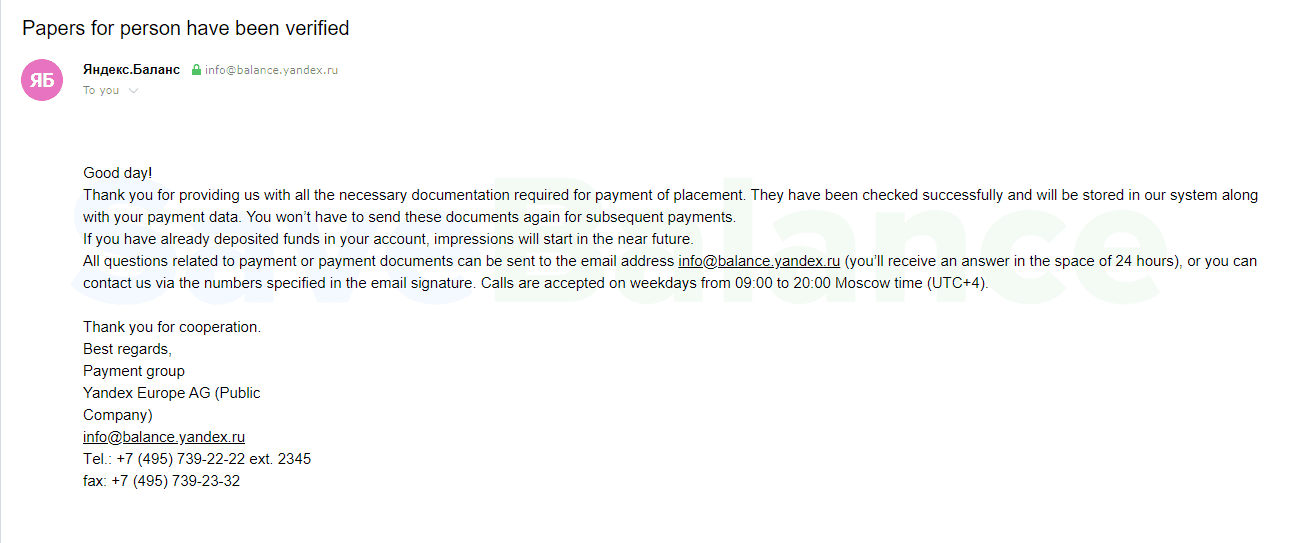
Congratulations, your Direct account without VAT has been created, and you can proceed to replenishment.
Why shouldn't you use documents from the Internet for creation?
If you found or purchased documents, sooner or later those same documents will end up in the hands of someone else who also creates an account or "restores" to your through support. There can only be one active account per person.
If you can't convince support that you are indeed the account owner, the account and funds will be frozen until the circumstances are clarified To avoid this, only register accounts using your real information.
If you have a global ad/product, you can use our global advertiser service. All payments and account verifications are processed through a dedicated legal entity, ensuring absolute security.
We hope we were able to help you.
Sincerely, the SaveBalance team.